Page 1 of 2
Secure Boot Certificates
Posted: Tue Mar 03, 2026 3:13 pm
by Tunnelcat
I've been able to get all the boot certificates updated on 2 of my PCs. But my laptop is refusing to update to the new certificates. It and my gaming rig were purchased in 2019 and were updated to Windows 11 Pro. The gaming rig I was able to get updated with no issues using the Task Scheduler and GPedit policy changes. But the laptop is stuck. All the correct keys are changed in the registry and it claims "In Progress" and the policy has been enabled, including the other sqm-task and runs at every boot. I've even run it manually, but no go. I'm still getting a TPM-WMI 1801 error, even though the registry keys are updated and the certificates are present. The BIOS is the latest and Secure Boot is ON. But now I'm getting 2 certificate and one task manager error saying the task cannot be completed. Any suggestions? Origin, the computer maker, is not guaranteeing Windows 11 support either, although they did release a new BIOS for secure boot, so no help there. Bastards.

Re: Secure Boot Certificates
Posted: Tue Mar 03, 2026 4:45 pm
by Krom
I'll have to look into this next weekend, need to check the status of a couple of my machines.
Re: Secure Boot Certificates
Posted: Thu Mar 05, 2026 12:56 am
by TigerRaptor
Has anyone here tried Windows 11 LTSC?
Re: Secure Boot Certificates
Posted: Sun Mar 08, 2026 3:05 pm
by Tunnelcat
OK, I booted up the laptop today. This is the error I'm getting when the failure occurs. First boot:
Event 87, CertificateServicesClient-CertEnroll via
https://IFX-Keyld-XXXXXXXXXXXXXXXXXXXXX ... s/Aik/scep failed: (twice by the way)
Once it fails, I eventually receive Event 1801 TPM-WMI (the certificates are there, but not installed) and after that
Event 1000 Application Error - Faulting Application Name: taskhost.exe, version 10.0.26100.7705, time stamp: 0xcb756496
Obviously the Scheduled Task for updating the certificates is failing, even though it's set to run at every startup. The same error occur if I manually run the task. There are also a bunch of PCI controllers that no longer have drivers for them once Windows 11 was installed, nor are there any drivers out there at all. There are also missing drivers in the Device Manager on my gaming rig, but I had no issues with getting its certificates to update. The laptop functions OK and this issue only shows up the the Device Manager. Rebooting twice doesn't work because after every reboot, it loads right into Windows and will not start a second reboot before loading Windows as the other 2 systems did.
Re: Secure Boot Certificates
Posted: Sun Mar 08, 2026 7:19 pm
by Jeff250
What would happen if you didn't get this update installed? Some DRM would eventually stop working?
Re: Secure Boot Certificates
Posted: Tue Mar 10, 2026 2:58 pm
by Tunnelcat
Jeff250:
https://windowsforum.com/threads/secure ... ow.390259/
Krom, any ideas? This laptop is the only system I can't get the certificates loaded, even the update process is in progress in the task scheduler at every boot and the Power Shell query comes back as "True".
Re: Secure Boot Certificates
Posted: Tue Mar 10, 2026 4:27 pm
by Krom
So I checked over my main machine, which returned false in powershell:
([System.Text.Encoding]::ASCII.GetString((Get-SecureBootUEFI db).bytes) -match 'Windows UEFI CA 2023')
Device security showed that it secureboot was disabled, I checked the defaults in BIOS and they were set to custom/non windows OS. I switched them to windows and standard key library and now secure boot is enabled with the 2023 keys.
One suggestion I've heard is clearing/resetting all the keys in BIOS/UEFI back to their defaults, although if you use bitlocker you should either disable it first or have your recovery keys on hand because they may be necessary after that procedure.
Re: Secure Boot Certificates
Posted: Wed Mar 11, 2026 11:03 am
by Jeff250
But what I mean is, why even care about secure boot? I realize that you need to keep up with these patches in order to maintain secure boot, but why do you even want to do that? I'm guessing it has to do with DRM and anti-cheat. In any realistic threat model, if someone has the ability to overwrite your bootloader, you are already hosed in so many other ways.
Re: Secure Boot Certificates
Posted: Wed Mar 11, 2026 3:08 pm
by vision
I too wonder why any average person needs secure boot. I can see enabling it on business hardware or if you have so specific security needs, but I've always just turned it off so I can install Linux.
Re: Secure Boot Certificates
Posted: Wed Mar 11, 2026 5:51 pm
by Krom
I think the main thing they use to sell secure boot is that it prevents malware from working its way into the boot process, but I suspect it is also related to DRM, anti-cheat, and other ways of allowing corporations the ability to deny you control of hardware and software you have paid for.
They are using cryptographic signatures and key pairs to make sure the hardware trusts the software, but perhaps the question you need to be asking is "Do you trust Microsoft?"
Lately it seems everyone is writing their software with AI, and it is all slop. The latest round of Nvidia drivers is another example, so much AI slop ★■◆●ing everything up, they actually pulled it off their site and had to do it over a few builds later, and then had to make a hotfix for the do-over.
Re: Secure Boot Certificates
Posted: Wed Mar 11, 2026 7:56 pm
by TigerRaptor
Everyone using Windows is basically at a fork in the road dealing with Microsoft’s nonsense. Option one: use Windows 11 as it is and trust whatever Microsoft is doing, essentially becoming their little guinea pig. Option two: keep fighting back by downloading scripts to remove the AI bloat. Option three: switch to Windows 11 LTSC for a more traditional experience. Option four: jump ship entirely and move to Linux or Mac. If we somehow reach a point where hardware becomes too expensive for the consumer. Kiss Windows 11 goodbye and forget Windows 12; say hello to Windows 365. Now you're Microslops little ★■◆●. Hopefully it doesn't come to that.
Re: Secure Boot Certificates
Posted: Thu Mar 12, 2026 11:37 am
by Tunnelcat
Doesn't Secure Boot also affect Linux?
Re: Secure Boot Certificates
Posted: Thu Mar 12, 2026 5:54 pm
by Krom
Yes a number of Linux distros can use secure boot, although depending on what hardware/drivers you are loading (nvidia for instance), you may have to go through the process of signing some of them manually and/or at every update.
Re: Secure Boot Certificates
Posted: Fri Mar 13, 2026 2:56 pm
by Tunnelcat
I can't wait for Steam OS to come out. Bye, bye Winslop. And I still can't get my laptop to update it's damn certificates. I may either have to junk it or install Linux and forgo Secure Boot.
Re: Secure Boot Certificates
Posted: Sat Mar 14, 2026 2:18 pm
by Tunnelcat
Interesting. This is what I got today after the latest MS Security Update. I'm now getting this error along with the usual Event 1801 TPM-WMI. It looks like I'm screwed since Origin no longer supports this laptop, probably doesn't have the correct keys and doesn't support it for Win 11. And it was manufactured in 2019.
Event 1803 TPM WMI A PK-signed Key Exchange Key (KEK) cannot be found for this device. Check with the device manufacturer for the proper key provisioning.
Re: Secure Boot Certificates
Posted: Tue Mar 17, 2026 5:27 pm
by Jeff250
Tunnelcat wrote: Fri Mar 13, 2026 2:56 pm
I can't wait for Steam OS to come out. Bye, bye Winslop. And I still can't get my laptop to update it's damn certificates. I may either have to junk it or install Linux and forgo Secure Boot.
Please don't junk a perfectly functioning laptop!
Re: Secure Boot Certificates
Posted: Tue Mar 17, 2026 7:54 pm
by TigerRaptor
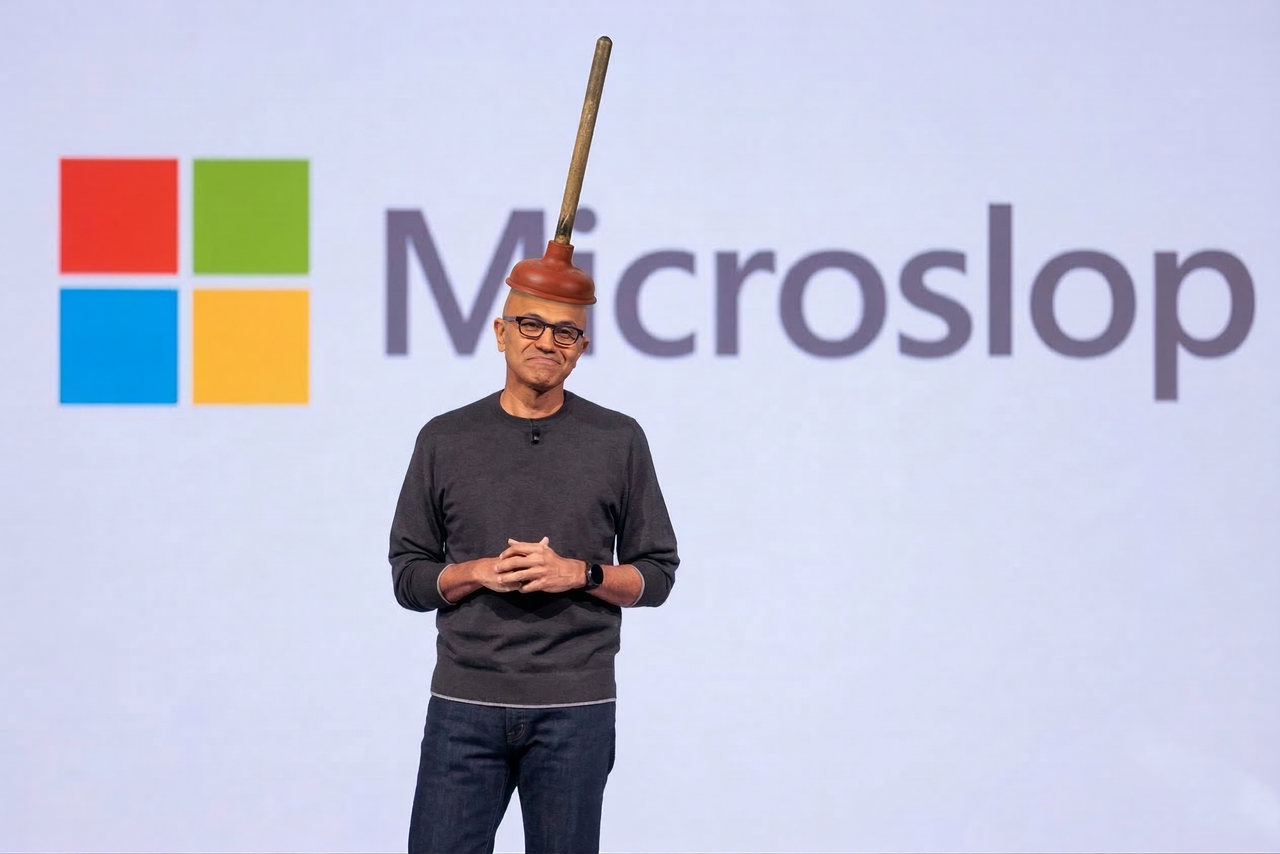
How many computers were sent to the landfill because of Microslop Winblows 11 system requirements? They talk about being carbon negative by 2030. In the meantime continue to pollute the earth more by discarding your old computer in the trash. Don't forget our AI data centers will impact the environment with increase carbon emissions.
Re: Secure Boot Certificates
Posted: Sat Mar 21, 2026 5:02 pm
by Tunnelcat
Jeff250 wrote: Tue Mar 17, 2026 5:27 pm
Tunnelcat wrote: Fri Mar 13, 2026 2:56 pm
I can't wait for Steam OS to come out. Bye, bye Winslop. And I still can't get my laptop to update it's damn certificates. I may either have to junk it or install Linux and forgo Secure Boot.
Please don't junk a perfectly functioning laptop!
No, it may become a Linux testing machine. It has a desktop sized Nvidia GTX 1080 sitting in it all all things, not worth tossing out. I've opened a support ticket at Origin PC asking about it since they supplied the new BIOS firmware which is already installed.
Re: Secure Boot Certificates
Posted: Tue Apr 14, 2026 1:30 pm
by Tunnelcat
Welp, support is worthless. Linux it is, with TPM turned off.
Re: Secure Boot Certificates
Posted: Wed Apr 22, 2026 7:40 pm
by Tunnelcat
New info. Apparently, my earlier attempt at updating the BIOS failed, so they gave me a different file. BUT, I can't get it to boot into a Rufus created FreeDOS environment to run the damn update now, even though the USB shows in the boot order screen. Apparently this Clevo mainboard doesnt like whatever boot files FreeDOS is using.

Re: Secure Boot Certificates
Posted: Sat Apr 25, 2026 8:28 am
by Isaac
Have you picked a distro yet?

Re: Secure Boot Certificates
Posted: Wed Apr 29, 2026 1:58 pm
by TigerRaptor
Isaac wrote: Sat Apr 25, 2026 8:28 am
Have you picked a distro yet?
I just installed CachyOS with KDE Plasma for the first time today, and the first thing I noticed is how much quicker my computer is moving compared to Kubuntu.
Re: Secure Boot Certificates
Posted: Thu Apr 30, 2026 7:16 pm
by Isaac
TigerRaptor wrote: Wed Apr 29, 2026 1:58 pm
Isaac wrote: Sat Apr 25, 2026 8:28 am
Have you picked a distro yet?
I just installed CachyOS with KDE Plasma for the first time today, and the first thing I noticed is how much quicker my computer is moving compared to Kubuntu.
Awesome! I'm on something similar: Endeavour OS, which also uses aur, and I selected KDE as well.
Re: Secure Boot Certificates
Posted: Fri May 01, 2026 11:20 pm
by TigerRaptor
Isaac wrote: Thu Apr 30, 2026 7:16 pmAwesome! I'm on something similar: Endeavour OS, which also uses aur, and I selected KDE as well.
I recently installed Genymotion via AUR, as the official site only provides packages for Ubuntu, Debian, and Fedora. That was a great help.
This will be the first time I'm daily driving a rolling-release distro and an Arch-based distro. Sure, I've played around with Arch and Manjaro but never used them full-time for fear of something breaking. Since the community gives high praise for its reliability, I'll give it a shot.
Re: Secure Boot Certificates
Posted: Sat May 02, 2026 2:22 pm
by Tunnelcat
OK, I can get it to boot into Ventoy. But I need to run the flash.nsh file from the BIOS file and Ventoy only offers up 5 .efi files to run on it's main screen. Any suggestions since I've never used Ventoy?
Re: Secure Boot Certificates
Posted: Sun May 03, 2026 10:54 am
by Isaac
Tunnelcat wrote: Sat May 02, 2026 2:22 pm
OK, I can get it to boot into Ventoy. But I need to run the flash.nsh file from the BIOS file and Ventoy only offers up 5 .efi files to run on it's main screen. Any suggestions since I've never used Ventoy?
This sounds like an issue with the image you're trying to boot. What distro is are you trying to do this with? Or is this just freedos?
It might be easier Rufus -> Linux distro -> DosBox (for dos games)
Re: Secure Boot Certificates
Posted: Sun May 03, 2026 5:25 pm
by Tunnelcat
Isaac, I'm still trying to get the secure boot keys updated. I just cannot get this system to boot into FreeDOS via Rufus. I did get it to boot into Ventoy for grins, but nothing with Rufus and FeeDOS. It needs to be booted into a DOS environment to flash the BIOS. This laptop has a Clevo mainboard and was built in 2019. I have a new BIOS file, but no way to update it.

Re: Secure Boot Certificates
Posted: Sun May 03, 2026 6:50 pm
by Krom
Have you tried downloading like a windows 98 (which includes MS-DOS 7.x) boot floppy and trying that?
(
https://winworldpc.com/product/microsof ... disk/98-se )
Or even a more modern windows disk image (you can download these from microsoft for free) and using their recovery console mode to launch command prompt and flashing BIOS from there? If freedos isn't working, try not freeDOS.
Or really, just flash it from inside windows if all else fails. You'd be surprised what is possible these days, its likely the laptop updates its BIOS from within windows by default.
Re: Secure Boot Certificates
Posted: Sun May 03, 2026 9:59 pm
by Tunnelcat
I don't have a floppy drive or even CD drive on this system. And the computer manufacturer claims the Clevo mainboard BIOS must be updated via a USB stick in a DOS environment. My problem is getting it to boot into a DOS environment to run the flash.nsh command. It just won't boot into Rufus' FreeDOS, so some boot file is obviously missing since it will boot into Ventoy. I also haven't used DOS for years either, so I'm not really that familiar with using it, let alone installing it on a USB with the proper partitions. I most certainly do not know how to use a virtual machine to set up a USB stick with FreeDOS either. I see that FreeDOS lists a USB installation option file on their site, but I have no idea how to proceed with installing it on a USB drive and they give no instructions. I'm stuck at this point since "support" at Origin has no other suggestions. I'm getting so pissed off at this point that the sledgehammer option is looking better and better. F*ck Microslop!
Re: Secure Boot Certificates
Posted: Mon May 04, 2026 4:53 am
by Krom
You can take a bootable floppy disk image and use Rufus to stick it on a USB drive instead, a floppy drive isn't required.
Re: Secure Boot Certificates
Posted: Tue May 05, 2026 10:54 am
by Tunnelcat
Ok, how do I do that?
Re: Secure Boot Certificates
Posted: Tue May 05, 2026 3:12 pm
by Krom
Download the floppy image *.iso file, stick a ~1 GB USB drive in your pc, open rufus, select the drive, select the image you downloaded, push start.
Re: Secure Boot Certificates
Posted: Wed May 06, 2026 1:03 pm
by Tunnelcat
FreeDOS comes in many flavors. There's the floppy version for really old IBM systems and 2 USB versions, Full and Lite. Which version should I put on the USB stick?
Re: Secure Boot Certificates
Posted: Thu May 07, 2026 3:09 pm
by TigerRaptor
Sorry if i"m going off topic again.
Isaac are you running BTRFS or EXT4 for your file system in Endeavour?
Re: Secure Boot Certificates
Posted: Fri May 08, 2026 4:14 pm
by Tunnelcat
Krom wrote: Tue May 05, 2026 3:12 pm
Download the floppy image *.iso file, stick a ~1 GB USB drive in your pc, open rufus, select the drive, select the image you downloaded, push start.
I tried creating a USB stick with the FreeDOS FullUSB version. I did not use their floppy version. I used Rufus to create the drive using the downloaded FD14-FullUSB.img. It still refuses to boot off of the drive and my BIOS has no legacy setting. Secure Boot was turned off. This computer was built in 2018, so I'd think it should work, but no joy.
Re: Secure Boot Certificates
Posted: Fri May 08, 2026 5:45 pm
by fliptw
wait... does your mobo's setup menu support firmware updating from inside it?
DOS needs a bios, so if you don't have the UEFI Legacy/BIOs option freedos won't work for you.
that being said, try disconnecting your drives and see what options you get for boot mode
Re: Secure Boot Certificates
Posted: Fri May 08, 2026 10:52 pm
by Tunnelcat
No, the BIOS doesn't have an internal method to update it. And no, there's no Legacy option in the BIOS either. UEFI only. This Clevo BIOS interface is pretty bare bones, lacking any kind of settings, or else they're hidden, and the computer manufacturer claims the the flash.nsh file in the update file needs to be run from within a DOS setting. They've been about as helpful as a pile of crap.
Most of the keyboard and graphics card fans are also run from the BIOS via proprietary software in Windows. But since updating to Win 11, it no longer has fan control or RGB keyboard lighting control since the old software only works in 10. There's no apparent way to change these settings from within the BIOS either. Another frustration.
Re: Secure Boot Certificates
Posted: Sat May 09, 2026 12:48 pm
by fliptw
Dos or command prompt? what exactly are the instructions
I can't see a modern firmware updater needing an OS that could never boot on that hardware.
Re: Secure Boot Certificates
Posted: Sat May 09, 2026 3:44 pm
by Krom
Most laptops these days have some horrible update app included that along with usually providing an attack surface the size of the grand canyon for malicious actors, also let you flash the firmware from within windows.
Re: Secure Boot Certificates
Posted: Sun May 10, 2026 8:56 am
by Isaac
TigerRaptor wrote: Thu May 07, 2026 3:09 pm
Sorry if i"m going off topic again.
Isaac are you running BTRFS or EXT4 for your file system in Endeavour?
EXT4